> For the complete documentation index, see [llms.txt](https://docs.theseus.us/llms.txt). Markdown versions of documentation pages are available by appending `.md` to page URLs; this page is available as [Markdown](https://docs.theseus.us/vozilla-gcs-software/vozilla-app/maps/creating-maps.md).
# Creating maps
{% hint style="info" %}
You can expect the map generation to take \~1 hour per 1000 km2. A processed map file uses \~1GB per 200 km2, so downloading a large map may take a long time over a slow internet connection.
{% endhint %}
{% stepper %}
{% step %}
### Creating a new map
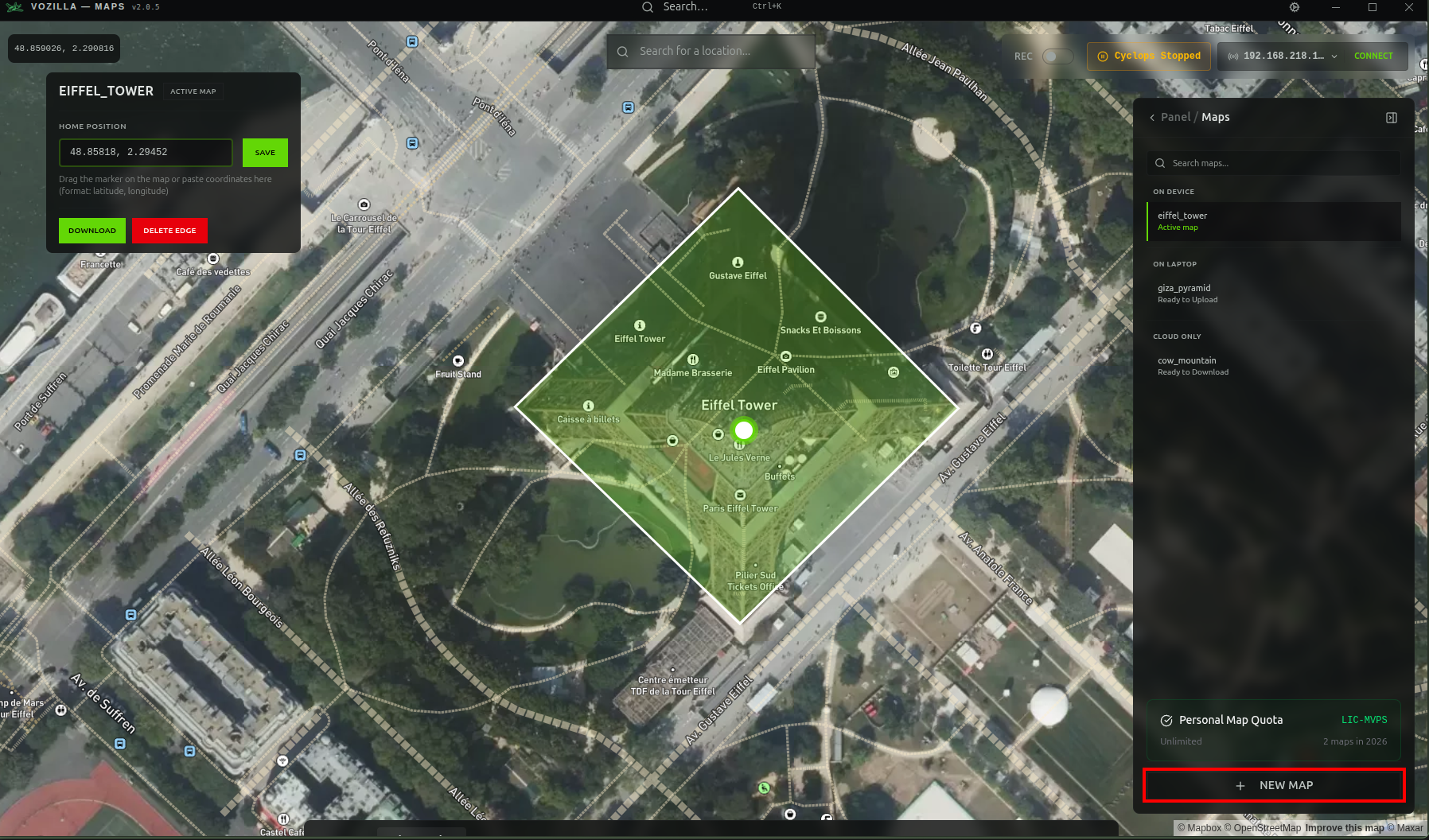
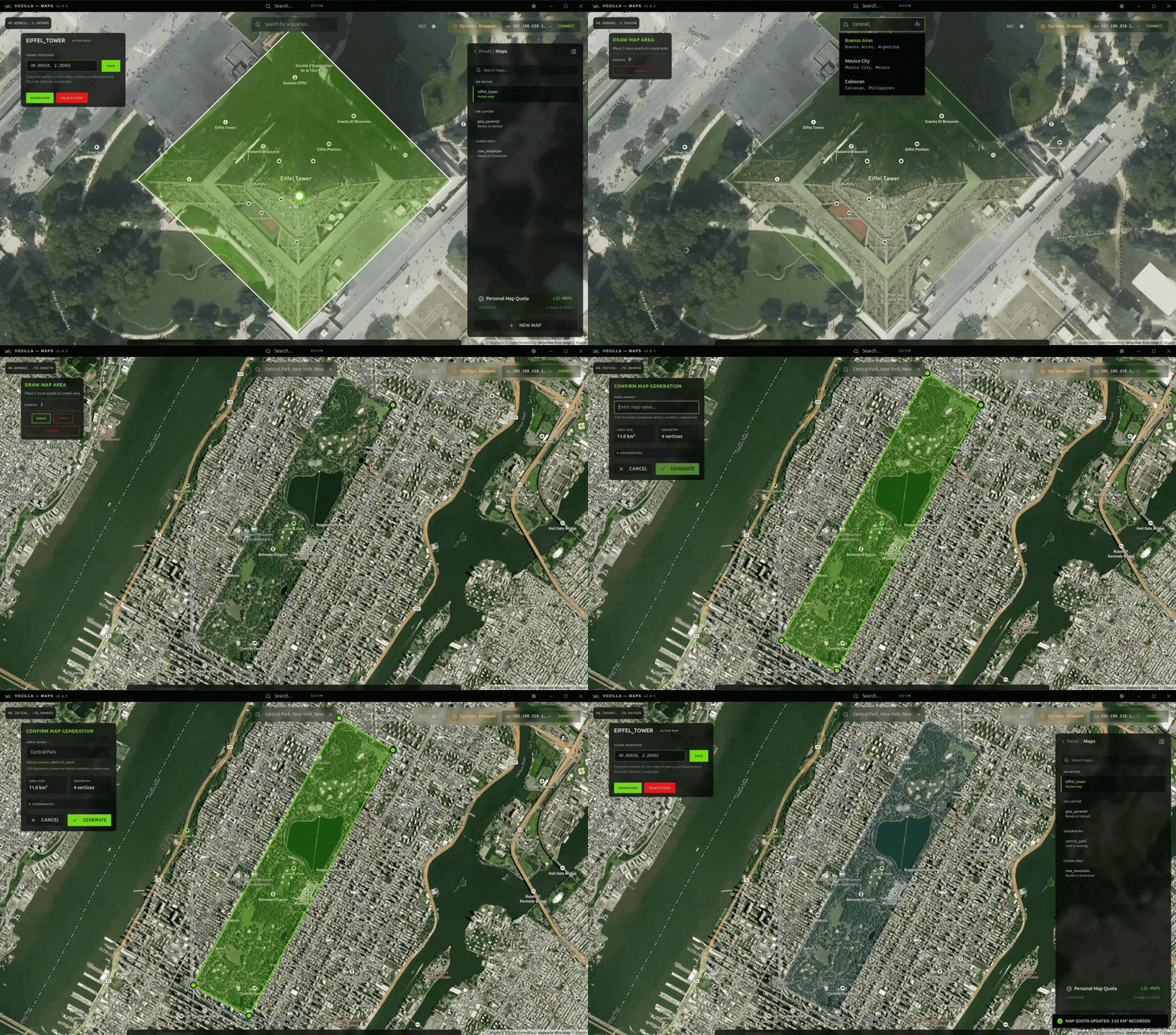
On the maps page, click the **+ NEW MAP** button at the bottom of the maps panel. Then navigate to your mission/flight area by entering a location name or the WGS84 coordinates in the search bar. Hit enter and the map will pan to your location.
{% endstep %}
{% step %}
### Drawing the map boundary
Draw the polygonal map boundary around the area where you will fly. Ensure the boundary fully surrounds an area larger than your mission, as Cyclops cannot localize if your UAV leaves the map boundary. Enter a distinct name for your map in the *AREA NAME* field.
{% hint style="warning" %}
**Your map size must be between 50 and 50,000 km****2****.** Newly generated maps cover the entire selected area. If using maps from before Nov 19 2025, make sure that the boundaries of your autonomous mission include at least 2 km of padding to the edges of the selected map area.
{% endhint %}
{% endstep %}
{% step %}
### Generating the map
Once you have selected your map area and added a name, click the **GENERATE** button on the left of the page. The map will begin generating in the background. This process may take a few hours so it is best to generate maps well before flying.
{% endstep %}
{% endstepper %}
## What happens under the hood?
Theseus queries its satellite map provider for imagery over the area you selected. Theseus' map matching technology is invariant to seasonal and landscape changes in the imagery. We employ commercial-grade satellite imagery with medium resolution.
{% hint style="info" %}
If you want to use your own satellite imagery, contact the Theseus team.
{% endhint %}
## Large maps
Theseus supports generating maps larger than 2000 km2 as well as maps that fit irregular shapes. You can generate a precise map to fit a mission, or select a large area if you plan on flying several different routes in the same region.