> For the complete documentation index, see [llms.txt](https://docs.theseus.us/llms.txt). Markdown versions of documentation pages are available by appending `.md` to page URLs; this page is available as [Markdown](https://docs.theseus.us/vozilla-gcs-software/vozilla-app/maps/uploading-maps.md).
# Uploading maps
Maps files are generated and stored in the cloud. To upload a map on your edge device, you first need to download it from the cloud to your local machine. This can take a long time even with a good internet connection, depending on the size of the map.
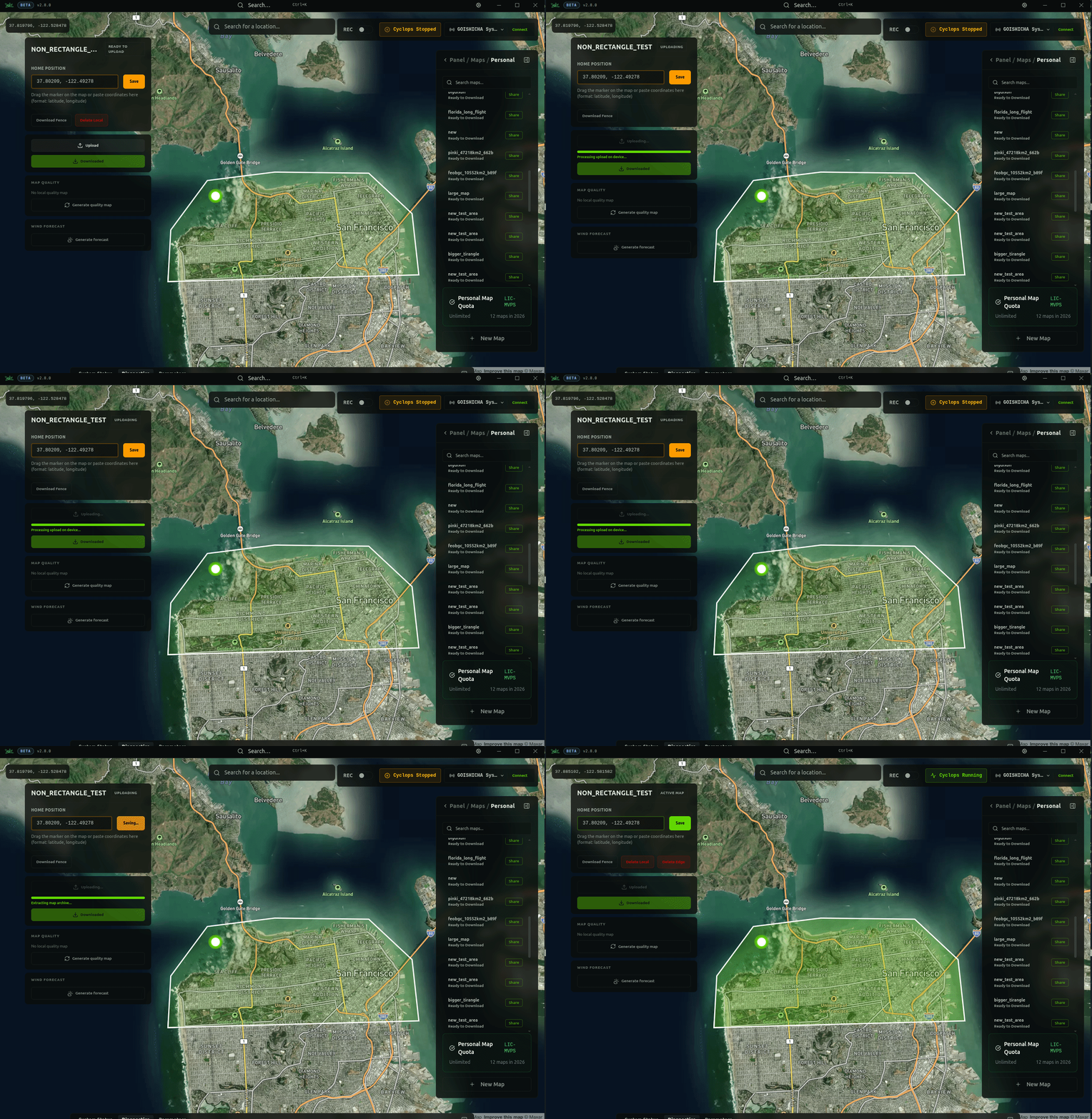
Once the map is downloaded, you can upload it to the edge device. It will be stored there until you delete it. You can switch between maps on your edge device by activating the map you want to use on the Maps page.
## Map library
All maps linked to your account can be viewed from the Maps page on Vozilla. Any previously generated map can be downloaded to your Vozilla device. Any map generations that have failed are also visible, as well as archived maps.
## Downloading to GCS
The edge device does not need to be connected when downloading a map to your local machine. To download a map in Vozilla, navigate to the Maps page. Then click the **Make available offline** button.
{% hint style="info" %}
Maps are downloaded as a single **.tar.gz** file to be uploaded to your device running Vozilla.
{% endhint %}
## Uploading to edge device
To upload a map on your local machine to your edge device, first connect the device over Ethernet and power it on. Then click the **Upload** button to upload it to your connected edge device. Once uploaded, the map is automatically set as the active map and the home position is set.