> For the complete documentation index, see [llms.txt](https://docs.theseus.us/llms.txt). Markdown versions of documentation pages are available by appending `.md` to page URLs; this page is available as [Markdown](https://docs.theseus.us/vozilla-gcs-software/vozilla-app/settings/organizations.md).
# Organizations
{% hint style="info" %}
This feature is currently only available in dev versions of Vozilla
{% endhint %}
Theseus Organizations allow you to share maps you generate with people on your team, and allow your team to use a single map quota across many accounts. Maps shared with an org subtract from the [owner](#organization-structure)'s map quota rather than from the account that created the map.
### Creating an org
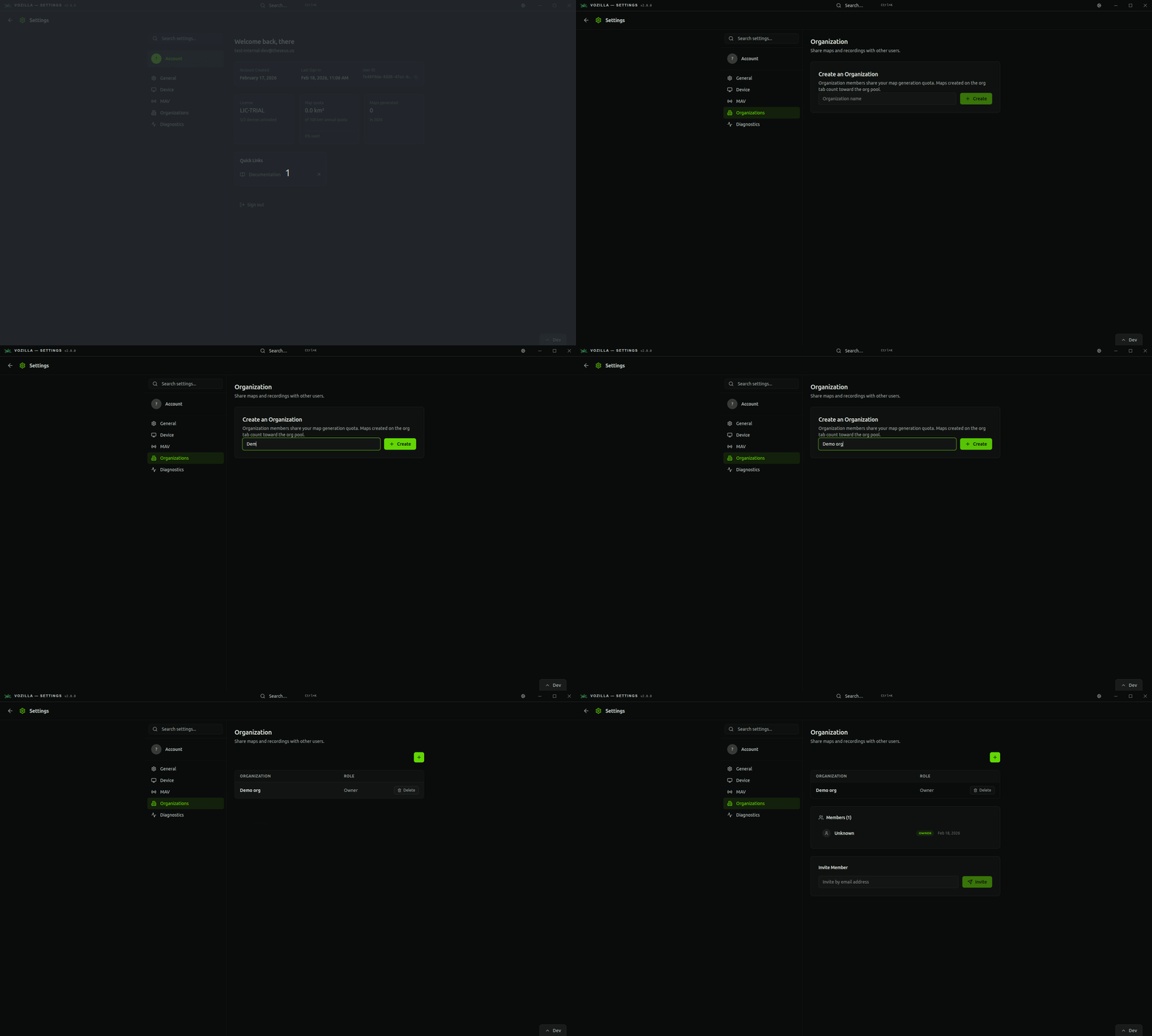
Creating an org can be done either in Vozilla or through [dashboard.theseus.us](https://dashboard.theseus.us); the process is the same. In Vozilla, navigate to *Settings>Organizations* and create a new org.
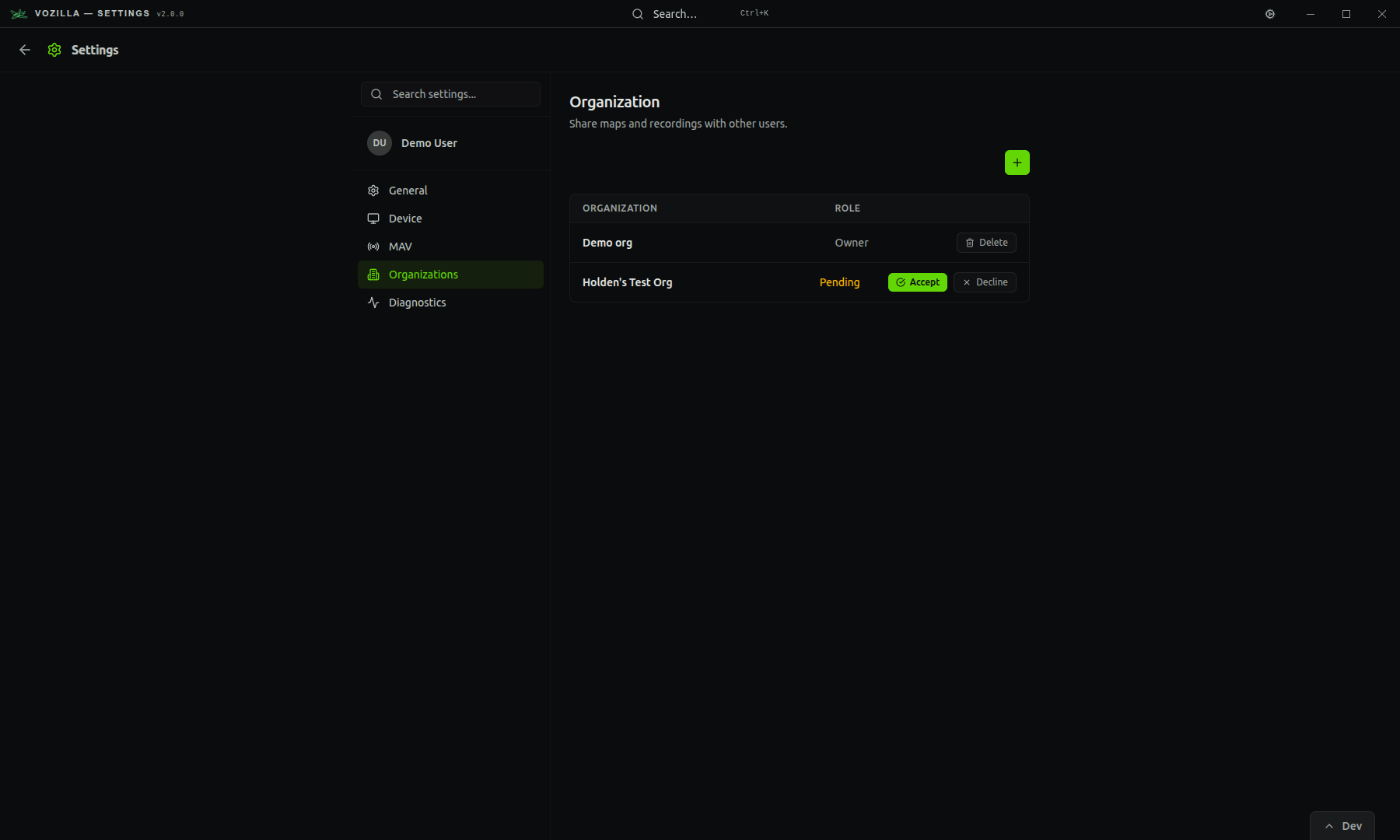
If you have received an invitation to an org, you can accept invites on the same page.
### Organization roles
Roles include:
* **Owner:** person who created the orgorganization
* **Member:** any user that has been invited by the owner and has accepted the invitation
Owners have full control over who is a member, and can remove members at any time. When a user is removed from an organization, all maps they generated are reverted to personal maps.
### Shared maps
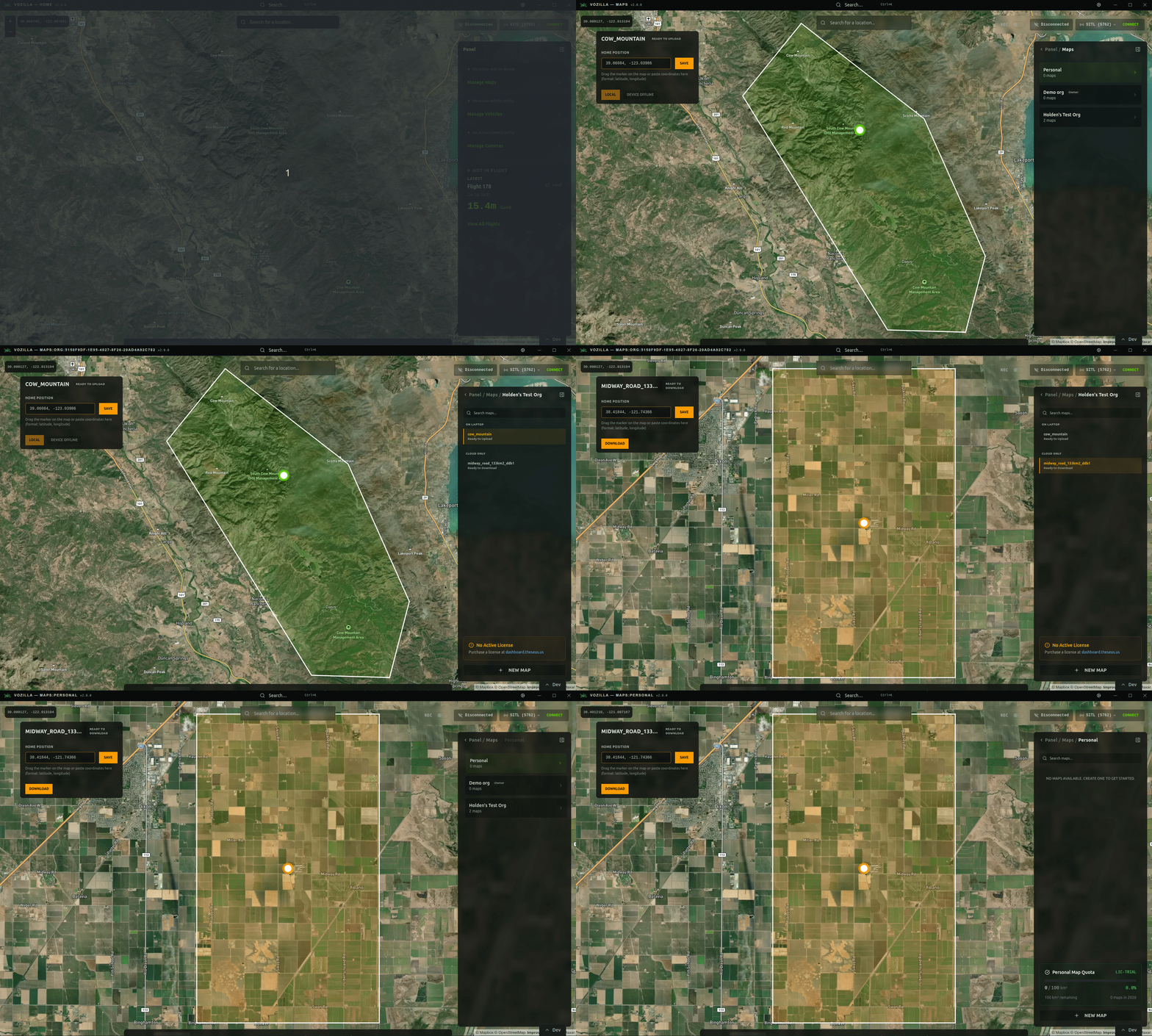
You can view maps shared with your organization from the Maps page. Navigate to *Manage Maps>\[Your Org]* to browse all maps that users have shared within your org.