> For the complete documentation index, see [llms.txt](https://docs.theseus.us/llms.txt). Markdown versions of documentation pages are available by appending `.md` to page URLs; this page is available as [Markdown](https://docs.theseus.us/vozilla-gcs-software/vozilla-app/system-status.md).
# System status
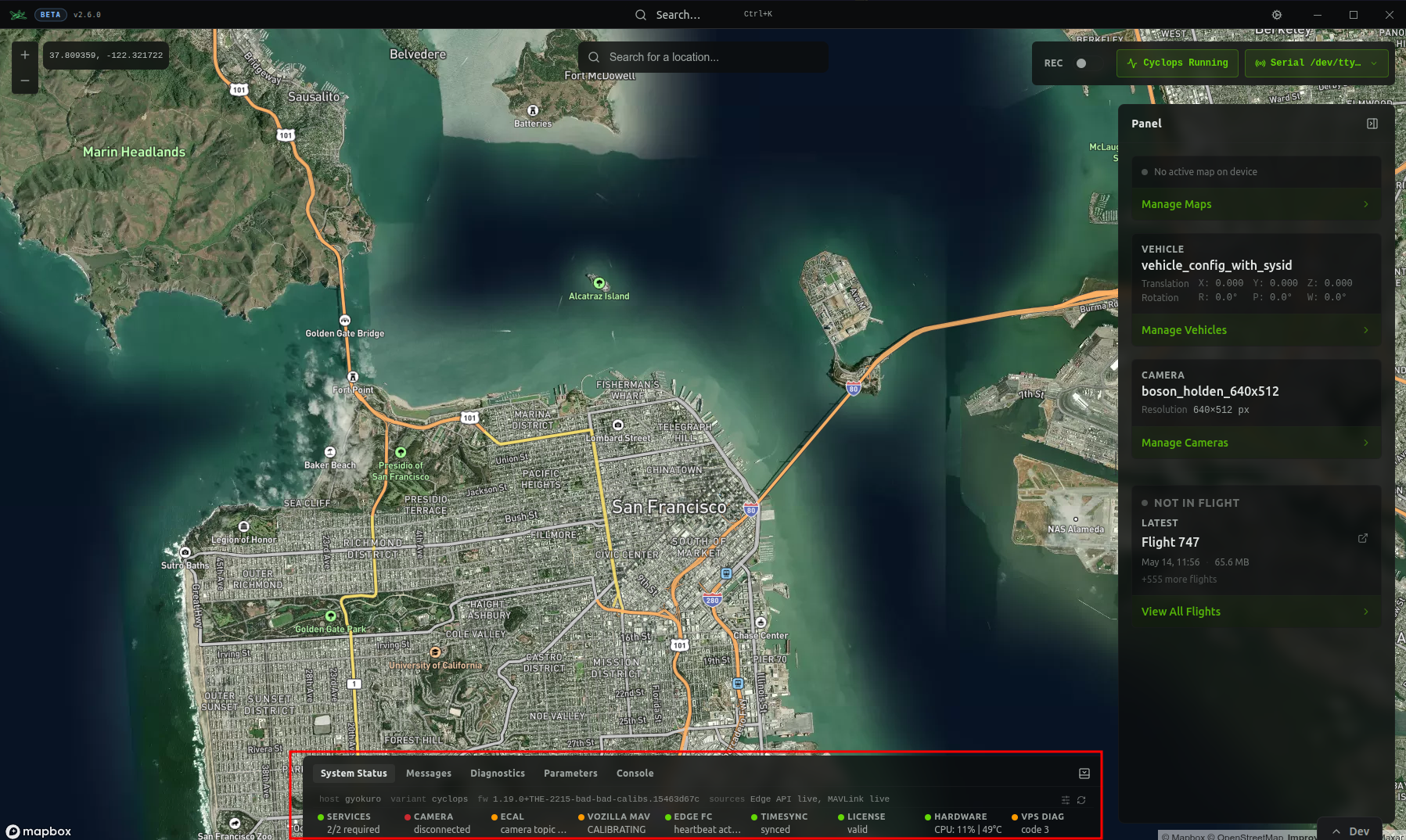
When connected to Cyclops over Ethernet, the System Status tab appears in the bottom panel of Vozilla. This gives real-time feedback on the state of the system to help debug issues.
## Status indicators
The dots have four states:
* **Green** - *Healthy*
* No issues are detected
* **Yellow** - *Warning*
* Something is not functioning as expected
* This may be a blocking issue, but may be something you can ignore depending on your specific setup. Hover over the dot to read the warning message
* **Red** - *Critical*
* The system will not function properly without changing something
* You must address this before flying with Cyclops
* **Gray** - *No Data*
* Most likely this data comes from a different source than the one you are connected with
## Data sources
Cyclops gets information from two data sources: **MAVLink** and the **Theseus Edge API**
#### Theseus Edge API
This is a service that runs on the edge device. You need to be connected to the edge device over Ethernet to access data through the Edge API.
#### MAVLink
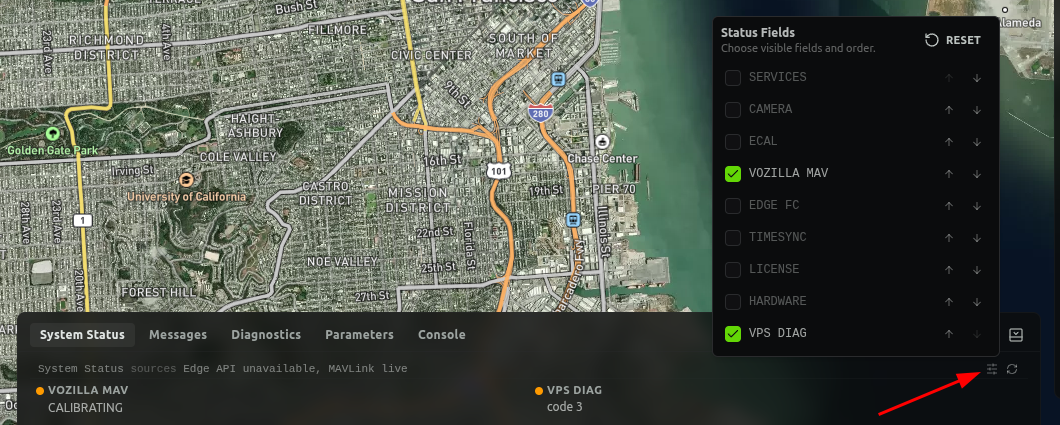
When connected to your flight controller over MAVLink in Vozilla, you will see a limited number of status indicators.
* [VPS Diag](/vozilla-gcs-software/mavlink/monitoring-vps-health-over-mavlink.md)
* Vozilla MAV
* Shows [heartbeat information](https://mavlink.io/en/messages/common.html#MAV_STATE) of Cyclops and the flight controller
## User customization
You can customize the diagnostics panel to display only the status fields relevant to your connection mode or use case. This makes it easier to identify the source of any issues on your platform.